Contents
n8n Ollama Integration Tutorial: Build AI Automation with Free Local Models
Cloud models such as OpenAI charge based on usage, and your data is sent externally. With Ollama, you can let n8n use open source models running on your own computer or server:
- No API fees
- Your data never leaves your environment
- Good for large volumes of repetitive processing (classification, summarization, data extraction)
If you’re new to Ollama, start with the Ollama tutorial.
Set up Ollama and a model
ollama pull qwen3:8b        # Chat model with strong Chinese capabilities and tool-calling support
ollama pull bge-m3          # Embedding model for RAG
AI Agent requires a model that supports tool calling (marked as tools on ollama.com).
The most important step: the connection URL
n8n must be able to connect to Ollama’s API (port 11434 by default). The URL depends on how you installed each:
| n8n | Ollama | Base URL |
|---|---|---|
| Direct install (npx) | Direct install on the same computer | http://localhost:11434 |
| Docker | Direct install on the host (Windows / macOS) | http://host.docker.internal:11434 |
| Docker | Direct install on the host (Linux) | http://host.docker.internal:11434, and add --add-host=host.docker.internal:host-gateway to the n8n container |
| Docker Compose | ollama service in the same Compose project | http://ollama:11434 |
| Any setup | Another computer | http://that-computer's-IP:11434 |
When n8n runs in a Docker container,
localhostrefers to the container itself, not your computer. This is the most common cause of connection failures.
Ollama on a Linux host listens only on 127.0.0.1 by default, so Docker containers may not be able to connect. Set OLLAMA_HOST to 0.0.0.0 (and use a firewall to block external connections). See Ollama environment variables for instructions.
Recommended: deploy both with Compose
services:
  n8n:
    image: n8nio/n8n
    ports:
      - "5678:5678"
    environment:
      GENERIC_TIMEZONE: Asia/Taipei
      TZ: Asia/Taipei
    volumes:
      - n8n_data:/home/node/.n8n
    restart: unless-stopped

  ollama:
    image: ollama/ollama
    volumes:
      - ollama:/root/.ollama
    restart: unless-stopped
    # Add this when you have an NVIDIA GPU:
    # deploy:
    #   resources:
    #     reservations:
    #       devices:
    #         - driver: nvidia
    #           count: all
    #           capabilities: [gpu]

volumes:
  n8n_data:
  ollama:
docker compose up -d
docker compose exec ollama ollama pull qwen3:8bIn n8n, set the Base URL to http://ollama:11434.
Create Ollama credentials
- Select Ollama Chat Model in the Chat Model slot of AI Agent.
- Create a new Ollama credential and enter the Base URL from the table above.
- n8n tests the connection when you save. After it succeeds, you can find the downloaded models in the Model dropdown.
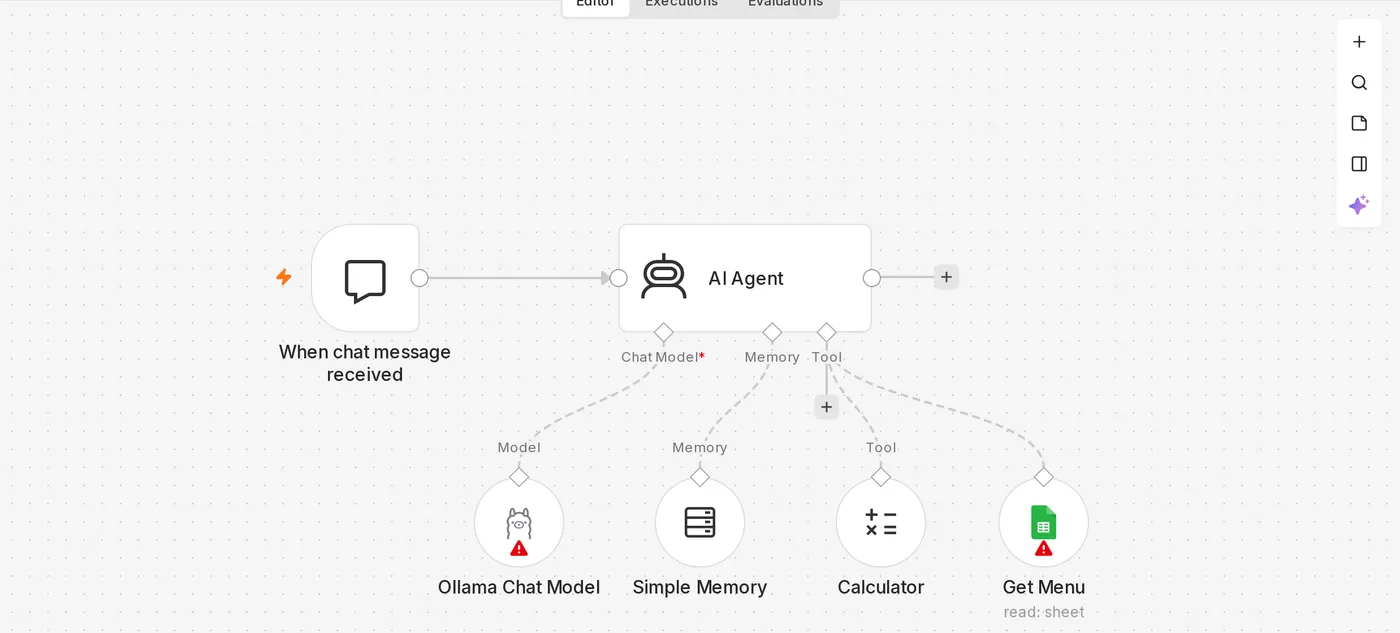
Example: classify customer support emails with local AI
[Gmail Trigger] ─▶ [Basic LLM Chain + Ollama Chat Model] ─▶ [Switch by category] ─▶ …When you don’t need tools, the Basic LLM Chain node is simpler and faster than AI Agent. Use this prompt:
Classify the following customer email as: pricing inquiry, order issue, complaint, or other.
Output only the category name. Do not include any other text.

Subject: {{ $json.subject }}
Content: {{ $json.text }}
Turn on Require Specific Output Format and connect a Structured Output Parser to have the model return JSON in a fixed format, making it easier for later nodes to use.
Model parameters
In Options on the Ollama Chat Model node, you can adjust:
| Option | Description |
|---|---|
| Temperature | Set to 0–0.3 for classification and data extraction |
| Context Length (num_ctx) | Increase it when processing long documents |
| Keep Alive | How long to keep the model in memory; increase it if you use the model frequently |
What to know about local models
- Speed: Depends on your hardware. On a server without a GPU, an 8B model may take dozens of seconds to respond.
- Capabilities: Small local models generally don’t perform as well as top cloud models on complex agent tasks involving multiple tools. They work better for straightforward classification, summarization, translation, and data extraction.
- Tool calling: If the Agent doesn’t use tools, try a larger model or one with better tool-calling capabilities, and simplify the number of tools.
Common errors
| Error | Cause |
|---|---|
ECONNREFUSED 127.0.0.1:11434 | n8n is running in Docker but you entered localhost. Use the URL from the table above |
model "xxx" not found | The model hasn’t been downloaded to Ollama yet. Run ollama pull first |
| Request timed out | The model is too large, taking too long to load the first time, or running on CPU only. Try a smaller model |
| Agent replies "does not support tools" | The selected model doesn’t support tool calling |
Updated October 12, 2026