Contents
Install n8n: A Tutorial Using Docker, npx, or Docker Compose
There are several ways to install n8n. Docker is the recommended option: it provides a clean environment, makes upgrades easier, and matches how you would deploy it in production.
Method 1: Docker (recommended)
Install Docker first (on Windows or macOS, install Docker Desktop; see Install Docker).
Create a Volume to persist n8n data:
docker volume create n8n_dataStart n8n:
docker run -d --name n8n \
  -p 5678:5678 \
  -e GENERIC_TIMEZONE="Asia/Taipei" \
  -e TZ="Asia/Taipei" \
  -e N8N_ENFORCE_SETTINGS_FILE_PERMISSIONS=true \
  -v n8n_data:/home/node/.n8n \
  --restart unless-stopped \
  n8nio/n8n
Open http://localhost:5678 in your browser.
| Parameter | Description |
|---|---|
-p 5678:5678 | n8n uses port 5678 by default |
GENERIC_TIMEZONE | The time zone used by Schedule Trigger; you must set this, or scheduled times will be off by 8 hours |
TZ | The container's system time zone |
-v n8n_data:/home/node/.n8n | Persists workflows, credentials, and the encryption key |
Never delete the
n8n_dataVolume. It contains not only the database but also the key used to encrypt credentials. If you lose the key, you won't be able to decrypt any saved credentials.
View the logs:
docker logs -f n8nMethod 2: Docker Compose
A better approach is to put the configuration in a file so you can update it easily later. Create a directory named n8n and add compose.yaml:
services:
  n8n:
    image: n8nio/n8n
    ports:
      - "5678:5678"
    environment:
      GENERIC_TIMEZONE: Asia/Taipei
      TZ: Asia/Taipei
      N8N_ENFORCE_SETTINGS_FILE_PERMISSIONS: "true"
    volumes:
      - n8n_data:/home/node/.n8n
    restart: unless-stopped

volumes:
  n8n_data:
docker compose up -dTo deploy to a server and use PostgreSQL and HTTPS, see Self-hosting.
Method 3: npx / npm
If Node.js is already installed on your computer (use the version specified in the official n8n documentation), you can run n8n directly:
npx n8nOr install it globally:
npm install -g n8n
n8n start
Data is stored in .n8n in your user directory. This method is suitable for a quick trial; Docker is still recommended for long-term use.
First launch
- Open
http://localhost:5678. - Create an owner account: enter your email, name, and password. This account exists only in your n8n instance and is not sent to n8n.
- You can fill out the questionnaire or skip it.
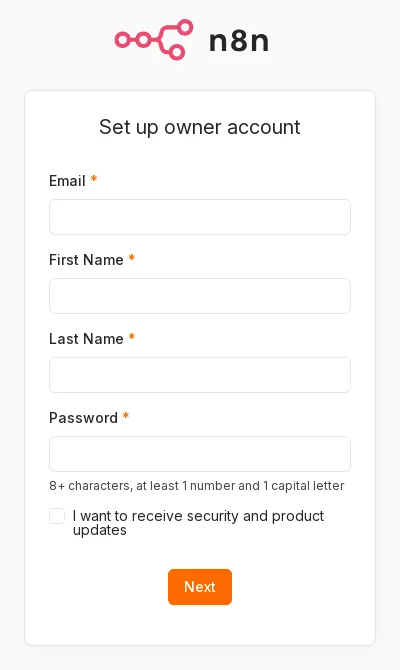
- n8n may offer a license key that enables some paid features for free (you need to enter an email address to get it). Decide whether to use it based on your needs.
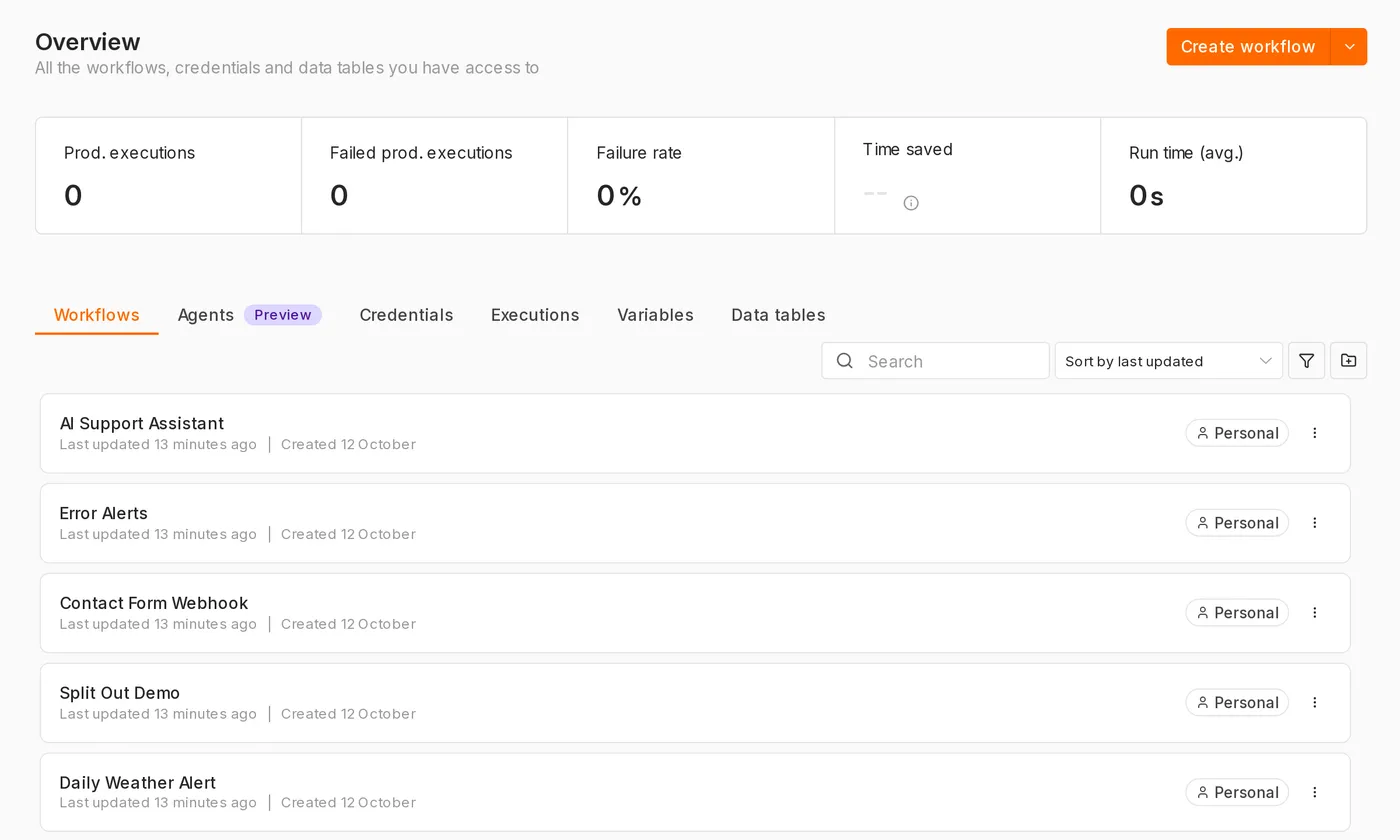
After setup, you'll see the main screen.
Check the version
docker exec n8n n8n --versionFrequently asked questions
A “secure cookie” error appears after opening n8n
When you connect from another computer (not localhost) over http://, the browser can't set a secure Cookie because the connection isn't using HTTPS. For production use, configure HTTPS (see Self-hosting). For testing on a local network only, you can temporarily add the N8N_SECURE_COOKIE=false environment variable.
Scheduled times are incorrect
GENERIC_TIMEZONE has not been set. You can also specify a time zone individually in each workflow's settings.
The port is already in use
Change -p 5678:5678 to -p 5679:5678, then connect to http://localhost:5679.
Updated October 12, 2026