Contents
Nginx with Docker Tutorial: Static Sites and Reverse Proxying
This section has two parts: first, use Nginx to serve a static site; then put Nginx in front of other application containers as a reverse proxy. Finally, you'll use Caddy to obtain HTTPS certificates automatically.
The quickest static site
Create a directory named nginx-site and put the site files in public/:
nginx-site/
└── public/
    ├── index.html
    ├── style.css
└── app.jspublic/index.html:
<!doctype html>
<html lang="en">
<head>
  <meta charset="utf-8">
  <meta name="viewport" content="width=device-width, initial-scale=1">
  <title>My Static Site</title>
  <link rel="stylesheet" href="/style.css">
</head>
<body>
  <main>
    <h1>My Static Site</h1>
    <p>Served by Nginx in a Docker container.</p>
    <p id="path"></p>
  </main>
  <script src="/app.js"></script>
</body>
</html>
public/app.js contains one line that displays the current URL path on the page (you'll use it later to test the SPA):
document.getElementById("path").textContent = "Current path: " + location.pathname;The contents of style.css are up to you. Mount public/ at the official image's web root, /usr/share/nginx/html:
$ docker run -d --name site -p 8080:80 -v "$(pwd)/public:/usr/share/nginx/html:ro" nginx:1.30-alpine
806fb20a7c3ba980710bf43520c118d724346248d387f8743f8ba26e5e182345

$ curl -s http://localhost:8080/ | head -n 6
<!doctype html>
<html lang="en">
<head>
  <meta charset="utf-8">
  <meta name="viewport" content="width=device-width, initial-scale=1">
  <title>My Static Site</title>

$ curl -s -o /dev/null -w "%{http_code}\n" http://localhost:8080/dashboard/settings
404
Windows equivalents (select a tab to switch):
docker run -d --name site -p 8080:80 -v "$(pwd)/public:/usr/share/nginx/html:ro" nginx:1.30-alpinedocker run -d --name site -p 8080:80 -v "${PWD}/public:/usr/share/nginx/html:ro" nginx:1.30-alpinedocker run -d --name site -p 8080:80 -v "%cd%/public:/usr/share/nginx/html:ro" nginx:1.30-alpine:ro means read-only; Nginx only needs to read the files. Open http://localhost:8080:
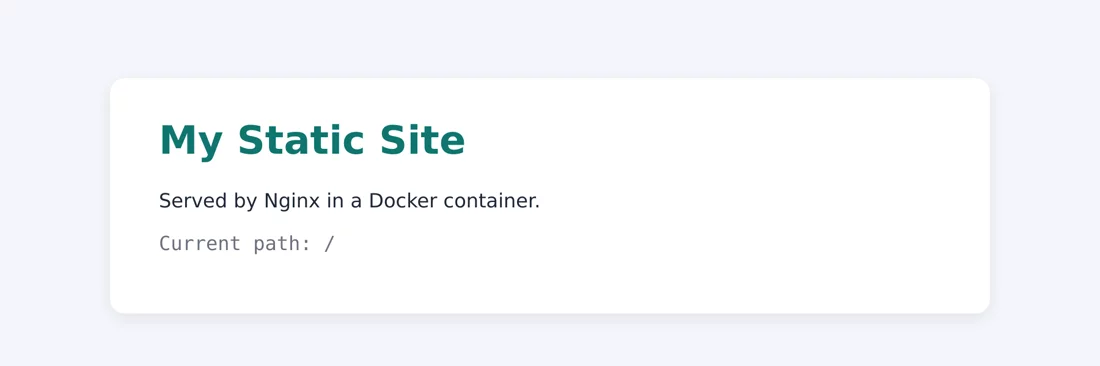
The last command requests a nonexistent path, /dashboard/settings, and gets 404. That's correct for a typical website. But for a single-page application (SPA) such as React or Vue, the frontend handles URL paths, so the server should return index.html. This requires a custom config file.
Custom configuration
The official image loads every .conf file in /etc/nginx/conf.d/. By default, there's only one: default.conf. The simplest approach is to replace it with your own file.
The first version of default.conf:
server {
    listen 80;
    server_name _;
    root /usr/share/nginx/html;
    index index.html;

    # SPA: return index.html when a file isn't found
    location / {
        try_files $uri $uri/ /index.html;
    }

    # Cache static assets for a long time
    location ~* \.(js|css|png|jpg|svg|woff2)$ {
        expires 30d;
        add_header Cache-Control "public, immutable";
    }

    gzip on;
    gzip_types text/css application/javascript application/json image/svg+xml;
}| Setting | Purpose |
|---|---|
try_files $uri $uri/ /index.html | Check for a file, then a directory; if neither exists, return /index.html |
location ~* \.(js|css|...)$ | ~* means a case-insensitive regular expression that matches static assets |
gzip on + gzip_types | Compress text responses. HTML is compressed by default; list other types in gzip_types |
Mount the config file too:
$ docker run -d --name site -p 8080:80 -v "$(pwd)/default.conf:/etc/nginx/conf.d/default.conf:ro" -v "$(pwd)/public:/usr/share/nginx/html:ro" nginx:1.30-alpine
89c2d3163e3db3bb4192bac6dfd48732c5f72d2d9d4584b9d3e1a32416c01f2a

$ curl -s -o /dev/null -w "%{http_code}\n" http://localhost:8080/dashboard/settings
200

$ curl -sI -H "Accept-Encoding: gzip" http://localhost:8080/style.css
HTTP/1.1 200 OK
Server: nginx/1.30.5
Date: Tue, 13 Oct 2026 00:40:31 GMT
Content-Type: text/css
Last-Modified: Tue, 13 Oct 2026 00:38:42 GMT
Connection: keep-alive
ETag: W/"6acd7d92-154"
Expires: Thu, 12 Nov 2026 00:40:31 GMT
Cache-Control: max-age=2592000
Cache-Control: public, immutable
Content-Encoding: gzip
Windows equivalents (select a tab to switch):
docker run -d --name site -p 8080:80 -v "$(pwd)/default.conf:/etc/nginx/conf.d/default.conf:ro" -v "$(pwd)/public:/usr/share/nginx/html:ro" nginx:1.30-alpinedocker run -d --name site -p 8080:80 -v "${PWD}/default.conf:/etc/nginx/conf.d/default.conf:ro" -v "${PWD}/public:/usr/share/nginx/html:ro" nginx:1.30-alpinedocker run -d --name site -p 8080:80 -v "%cd%/default.conf:/etc/nginx/conf.d/default.conf:ro" -v "%cd%/public:/usr/share/nginx/html:ro" nginx:1.30-alpine/dashboard/settingsnow returns200, sotry_filesis working.Content-Encoding: gzipmeans the CSS was compressed.- But
Cache-Controlappears twice:expires 30dautomatically addsCache-Control: max-age=2592000, andadd_headeradds another one. Browsers can usually handle this, but it's not what we want.
Open http://localhost:8080/dashboard/settings in a browser. It displays index.html, and JavaScript reads the path as /dashboard/settings, so the frontend router can display the corresponding page:
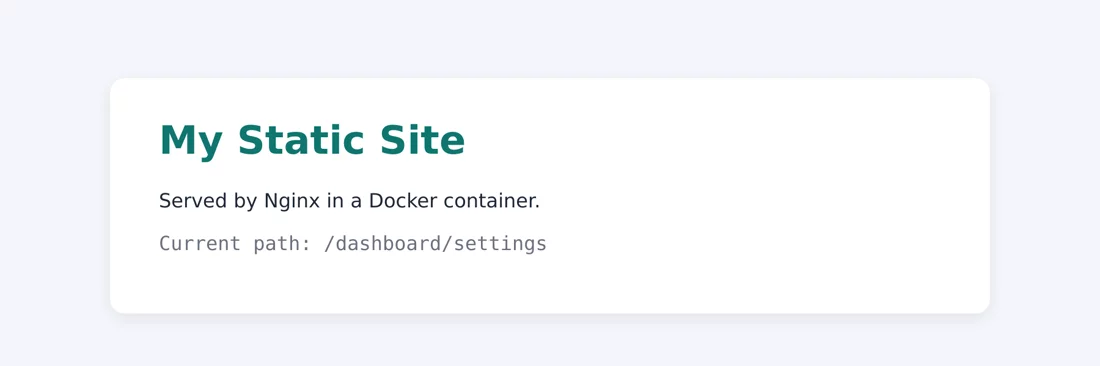
Fix the cache config by removing expires and using a single add_header with the complete value:
    location ~* \.(js|css|png|jpg|svg|woff2)$ {
        add_header Cache-Control "public, max-age=2592000, immutable";
    }
$ docker run -d --name site -p 8080:80 -v "$(pwd)/default.conf:/etc/nginx/conf.d/default.conf:ro" -v "$(pwd)/public:/usr/share/nginx/html:ro" nginx:1.30-alpine
868d331a579d208e646ee1be3a3d2a906720578a39418db2c4bd50febb892fd7
$ curl -sI -H "Accept-Encoding: gzip" http://localhost:8080/style.css | grep -E "Cache-Control|Content-Encoding"
Cache-Control: public, max-age=2592000, immutable
Content-Encoding: gzipWindows equivalents (select a tab to switch):
docker run -d --name site -p 8080:80 -v "$(pwd)/default.conf:/etc/nginx/conf.d/default.conf:ro" -v "$(pwd)/public:/usr/share/nginx/html:ro" nginx:1.30-alpinedocker run -d --name site -p 8080:80 -v "${PWD}/default.conf:/etc/nginx/conf.d/default.conf:ro" -v "${PWD}/public:/usr/share/nginx/html:ro" nginx:1.30-alpinedocker run -d --name site -p 8080:80 -v "%cd%/default.conf:/etc/nginx/conf.d/default.conf:ro" -v "%cd%/public:/usr/share/nginx/html:ro" nginx:1.30-alpine2592000 seconds is 30 days. immutable tells the browser not to check whether the file has changed during that period, so use it only for files whose names contain a version hash (for example, app.3f9a1c.js, which frontend build tools usually generate automatically).
Validate syntax and reload
After changing the config, validate it with nginx -t. If it passes, reload with nginx -s reload. You don't need to restart the container, and active connections won't be interrupted:
$ docker exec site nginx -t
nginx: the configuration file /etc/nginx/nginx.conf syntax is ok
nginx: configuration file /etc/nginx/nginx.conf test is successful

$ docker exec site nginx -s reload
2026/10/13 00:40:34 [notice] 27#27: signal process started

$ docker logs site 2>&1 | tail -n 4
2026/10/13 00:40:34 [notice] 1#1: reconfiguring
2026/10/13 00:40:34 [notice] 1#1: using the "epoll" event method
2026/10/13 00:40:34 [notice] 1#1: start worker processes
2026/10/13 00:40:34 [notice] 1#1: start worker process 32
The reconfiguring and start worker process log entries show that Nginx started new workers with the updated config.
If the syntax is invalid, nginx -t tells you where the problem is. For example, remove the semicolon from listen 80;:
$ sed 's/listen 80;/listen 80/' default.conf > broken.conf

$ docker run --rm -v "$(pwd)/broken.conf:/etc/nginx/conf.d/default.conf:ro" nginx:1.30-alpine nginx -t
/docker-entrypoint.sh: /docker-entrypoint.d/ is not empty, will attempt to perform configuration
/docker-entrypoint.sh: Looking for shell scripts in /docker-entrypoint.d/
/docker-entrypoint.sh: Launching /docker-entrypoint.d/10-listen-on-ipv6-by-default.sh
10-listen-on-ipv6-by-default.sh: info: can not modify /etc/nginx/conf.d/default.conf (read-only file system?)
/docker-entrypoint.sh: Sourcing /docker-entrypoint.d/15-local-resolvers.envsh
/docker-entrypoint.sh: Launching /docker-entrypoint.d/20-envsubst-on-templates.sh
/docker-entrypoint.sh: Launching /docker-entrypoint.d/30-tune-worker-processes.sh
/docker-entrypoint.sh: Configuration complete; ready for start up
2026/10/13 00:40:35 [emerg] 1#1: invalid parameter "server_name" in /etc/nginx/conf.d/default.conf:3
nginx: [emerg] invalid parameter "server_name" in /etc/nginx/conf.d/default.conf:3
nginx: configuration file /etc/nginx/nginx.conf test failed
Windows equivalents (select a tab to switch):
docker run --rm -v "$(pwd)/broken.conf:/etc/nginx/conf.d/default.conf:ro" nginx:1.30-alpine nginx -tdocker run --rm -v "${PWD}/broken.conf:/etc/nginx/conf.d/default.conf:ro" nginx:1.30-alpine nginx -tdocker run --rm -v "%cd%/broken.conf:/etc/nginx/conf.d/default.conf:ro" nginx:1.30-alpine nginx -tThe error mentions server_name on line 3, but the actual problem is the missing semicolon on line 2: Nginx treats the next line's server_name as an argument to listen. When an error is hard to understand, remember to check the previous line.
The preceding messages that start with /docker-entrypoint.sh: come from the official image's startup script. The can not modify ... (read-only file system?) message appears because we mounted the config file read-only with :ro, so the script can't add the IPv6 config automatically. You can ignore it.
You can validate a config file with just
docker run ... nginx -twithout actually starting the website. In CI, use this method to validate the config before deployment.
Generate config with environment variables
The official image supports templates. Put files with the .conf.template extension in /etc/nginx/templates/. At startup, environment variables replace ${variable} in the template, and the result is written to /etc/nginx/conf.d/.
templates/default.conf.template:
server {
    listen 80;
    server_name ${SERVER_NAME};
    root /usr/share/nginx/html;

    location / {
        add_header X-Environment ${APP_ENV};
        try_files $uri $uri/ /index.html;
    }
}
$ docker run -d --name tpl -p 8080:80 -e SERVER_NAME=example.com -e APP_ENV=staging -v "$(pwd)/templates:/etc/nginx/templates:ro" -v "$(pwd)/public:/usr/share/nginx/html:ro" nginx:1.30-alpine
77b6991d1d85b713cc741c86504d61e6a8dc867997e80219ec77b3f3c3be3165
$ docker logs tpl 2>&1 | grep -i template
/docker-entrypoint.sh: Launching /docker-entrypoint.d/20-envsubst-on-templates.sh
20-envsubst-on-templates.sh: Running envsubst on /etc/nginx/templates/default.conf.template to /etc/nginx/conf.d/default.conf
$ docker exec tpl cat /etc/nginx/conf.d/default.conf
server {
listen 80;
server_name example.com;
root /usr/share/nginx/html;
location / {
add_header X-Environment staging;
try_files $uri $uri/ /index.html;
}
}
$ curl -sI http://localhost:8080/ | grep X-Environment
X-Environment: stagingWindows equivalents (select a tab to switch):
docker run -d --name tpl -p 8080:80 -e SERVER_NAME=example.com -e APP_ENV=staging -v "$(pwd)/templates:/etc/nginx/templates:ro" -v "$(pwd)/public:/usr/share/nginx/html:ro" nginx:1.30-alpinedocker run -d --name tpl -p 8080:80 -e SERVER_NAME=example.com -e APP_ENV=staging -v "${PWD}/templates:/etc/nginx/templates:ro" -v "${PWD}/public:/usr/share/nginx/html:ro" nginx:1.30-alpinedocker run -d --name tpl -p 8080:80 -e SERVER_NAME=example.com -e APP_ENV=staging -v "%cd%/templates:/etc/nginx/templates:ro" -v "%cd%/public:/usr/share/nginx/html:ro" nginx:1.30-alpine${SERVER_NAME} and ${APP_ENV} are replaced with their environment variable values, but Nginx variables such as $uri are left alone: the startup script replaces only defined environment variables. You can deploy the same image to staging and production with different environment variables.
Package it as an image
Mounts are useful during development. For deployment, package the config and site files together in an image. Dockerfile:
FROM nginx:1.30-alpine
COPY default.conf /etc/nginx/conf.d/default.conf
COPY public/ /usr/share/nginx/html/
$ docker build -t my-site .
[+] Building 2.3s (8/8) FINISHED docker:default
=> [internal] load build definition from Dockerfile 0.0s
=> => transferring dockerfile: 145B 0.0s
=> [internal] load metadata for docker.io/library/nginx:1.30-alpine 0.0s
=> [internal] load .dockerignore 0.0s
=> => transferring context: 2B 0.0s
=> [1/3] FROM docker.io/library/nginx:1.30-alpine@sha256:0985e772fb9f729e6fa0980da05fca5d9c468e870eed43071545afa9d2e27d94 1.9s
=> => resolve docker.io/library/nginx:1.30-alpine@sha256:0985e772fb9f729e6fa0980da05fca5d9c468e870eed43071545afa9d2e27d94 0.1s
=> => extracting sha256:e3320d02d5786716dcc40d9f6267baec5d3d2c46945082958050c3ac5ea23751 0.3s
=> => extracting sha256:3d85d110b167fae23d8eb3a7060cd079682b682b04d295fc7bbdf454c9e722c8 0.0s
=> => extracting sha256:22e5a8a110ec69c6af30325ccfe8bb0bfb94e5783117808061bae5115e1e3dcb 0.0s
=> => extracting sha256:6b4dfb2e8f8a72d7ae1380b667f50faccdc19147869b2afa09aeddfdea59ce64 0.0s
=> => extracting sha256:703c5424632fab32aa3327bebe6e5202ac53a93740062efb830f8188e580b9db 0.0s
=> => extracting sha256:b335b7ac3a400afa780d0d89e0b778ee19dc3e3df95bed4b274a763af2264fd7 0.0s
=> => extracting sha256:b27cf3f7c39dd0da0aa52a285f0c0cce938ac61472babfea353b1daa83586c49 1.4s
=> [internal] load build context 0.1s
=> => transferring context: 1.51kB 0.0s
=> [2/3] COPY default.conf /etc/nginx/conf.d/default.conf 0.1s
=> [3/3] COPY public/ /usr/share/nginx/html/ 0.0s
=> exporting to image 0.1s
=> => exporting layers 0.0s
=> => exporting manifest sha256:8bac0b1cbdfd6612d9eb656089bb18a18c4dba64cb8557aec5d427164a205865 0.0s
=> => exporting config sha256:5b6710aa0888ae70f084ad7911539cb362f4f919de995cf997898d37a9968baf 0.0s
=> => exporting attestation manifest sha256:9be9e0e07eacaece4ad72b53c87a2a7f84b4fa99af726bf98a33229fbbf9e4eb 0.0s
=> => exporting manifest list sha256:af4d78aa254eab0a55dd440f1e220ed73d0a5141343d9ae0fe19890e8471cd04 0.0s
=> => naming to docker.io/library/my-site:latest 0.0s
=> => unpacking to docker.io/library/my-site:latest 0.0s
$ docker run -d --name site -p 8080:80 my-site
d614148de5a6c2243074f865a0c03266a8e81ba069733546412d4abe9ad64fa0
$ curl -s http://localhost:8080/ | grep "<h1>"
<h1>My Static Site</h1>
$ docker images my-site
IMAGE ID DISK USAGE CONTENT SIZE EXTRA
my-site:latest af4d78aa254e 92.8MB 26.1MB UThe image is only slightly larger than nginx:1.30-alpine (93.7 MB). For frontend projects that need a build step (such as React or Vue), see Multi-stage builds: use Node.js to run npm run build in the first stage, then copy the output directory into the Nginx image in the second stage.
Reverse proxy: one entry point, multiple backends
In a common architecture, only Nginx exposes a port externally; the backend application containers do not:
User ──▶ nginx:80 ──┬──▶ app:3000   (/      → Express)
                      └──▶ api:8000   (/api/  → FastAPI)
Here, use the projects from the previous two sections as backends: Express from the Node.js app and FastAPI from the Python app.
proxy-demo/
├── compose.yaml
├── nginx.conf
├── app/      ← Express project from the Node.js section
└── api/ ← FastAPI project from the Python sectionnginx.conf:
server {
    listen 80;

    location / {
        proxy_pass http://app:3000;
        proxy_set_header Host $host;
        proxy_set_header X-Real-IP $remote_addr;
        proxy_set_header X-Forwarded-For $proxy_add_x_forwarded_for;
        proxy_set_header X-Forwarded-Proto $scheme;
    }

    location /api/ {
        proxy_pass http://api:8000/;
        proxy_set_header Host $host;
        proxy_set_header X-Real-IP $remote_addr;
        proxy_set_header X-Forwarded-For $proxy_add_x_forwarded_for;
        proxy_set_header X-Forwarded-Proto $scheme;
    }

    client_max_body_size 20m;
}| Setting | Purpose |
|---|---|
proxy_pass http://app:3000 | Forwards to port 3000 of the Compose service app (the container port) |
Host | Preserves the domain from the user's request; otherwise, the backend sees app:3000 |
X-Real-IP, X-Forwarded-For | Pass the user's real IP; otherwise, the backend sees only the Nginx container's IP |
X-Forwarded-Proto | Tells the backend whether the original request used HTTP or HTTPS |
client_max_body_size 20m | Sets the allowed upload size; the default is only 1 MB |
compose.yaml:
services:
  nginx:
    image: nginx:1.30-alpine
    ports:
      - "8080:80"
    volumes:
      - ./nginx.conf:/etc/nginx/conf.d/default.conf:ro
    depends_on:
      - app
      - api
    restart: unless-stopped

  app:
    build: ./app
    restart: unless-stopped

  api:
    build: ./api
    restart: unless-stopped
Only nginx has ports. Start the services:
$ docker compose up -d --build

[+] Building 2.6s (23/23) FINISHED
 => [internal] load local bake definitions                                                                                                       0.0s
 => => reading from stdin 885B                                                                                                                   0.0s
 => [app internal] load build definition from Dockerfile                                                                                         0.0s
 => => transferring dockerfile: 263B                                                                                                             0.0s
 => [api internal] load build definition from Dockerfile                                                                                         0.0s
 => => transferring dockerfile: 290B                                                                                                             0.0s
 => [api internal] load metadata for docker.io/library/python:3.14-slim                                                                          0.0s
 => [app internal] load metadata for docker.io/library/node:24-alpine                                                                            0.0s
 => [app internal] load .dockerignore                                                                                                            0.0s
 => => transferring context: 82B                                                                                                                 0.0s
 => [api internal] load .dockerignore                                                                                                            0.0s
 => => transferring context: 2B                                                                                                                  0.0s
 => [app 1/5] FROM docker.io/library/node:24-alpine@sha256:ebfe2f90462722a7a4de65e91990e97fe0d401c70e0e762c5b53302f905ec1c1                      0.1s
 => => resolve docker.io/library/node:24-alpine@sha256:ebfe2f90462722a7a4de65e91990e97fe0d401c70e0e762c5b53302f905ec1c1                          0.1s
 => [app internal] load build context                                                                                                            0.1s
 => => transferring context: 30.70kB                                                                                                             0.0s
 => [api 1/5] FROM docker.io/library/python:3.14-slim@sha256:a2b82f3c48559aa0a8446d9af49826b6e2b2016f4cd2afabfe6013ec53729170                    0.1s
 => => resolve docker.io/library/python:3.14-slim@sha256:a2b82f3c48559aa0a8446d9af49826b6e2b2016f4cd2afabfe6013ec53729170                        0.1s
 => [api internal] load build context                                                                                                            0.1s
 => => transferring context: 655B                                                                                                                0.0s
 => CACHED [app 2/5] WORKDIR /app                                                                                                                0.0s
 => CACHED [app 3/5] COPY package.json package-lock.json ./                                                                                      0.0s
 => CACHED [app 4/5] RUN npm ci --omit=dev && npm cache clean --force                                                                            0.0s
 => [app 5/5] COPY --chown=node:node . .                                                                                                         0.0s
 => CACHED [api 2/5] WORKDIR /app                                                                                                                0.0s
 => CACHED [api 3/5] COPY requirements.txt .                                                                                                     0.0s
 => CACHED [api 4/5] RUN pip install -r requirements.txt                                                                                         0.0s
 => CACHED [api 5/5] COPY . .                                                                                                                    0.0s
 => [app] exporting to image                                                                                                                     0.6s
 => => exporting layers                                                                                                                          0.1s
 => => exporting manifest sha256:30fc2b30e552f64db78c5b43bafd2ada5445c202a13517f1413cfbbf94b39fd3                                                0.0s
 => => exporting config sha256:ec00425160f63ab1fc89cf3ffb5cd5c91034dfe42b069922b6db604c6512dc94                                                  0.0s
 => => exporting attestation manifest sha256:bcd908d6b45f083d6373facdb8103d3cad7f5c8855744d68614f3c983fe2a3be                                    0.0s
 => => exporting manifest list sha256:ec1d3f8403286973e156b78f0db4566b8815c8e885f10c176b64c2c6cb2a75c5                                           0.0s
 => => naming to docker.io/library/proxy-demo-app:latest                                                                                         0.0s
 => => unpacking to docker.io/library/proxy-demo-app:latest                                                                                      0.4s
 => [api] exporting to image                                                                                                                     2.1s
 => => exporting layers                                                                                                                          0.0s
 => => exporting manifest sha256:89889ca77d8a1fe2e05952bd565d6f4b777e87d2343df4d846ad16bec3752caa                                                0.0s
 => => exporting config sha256:6bc4e896d1388da575d77436bebb27a4b9941ed84896155384aef74eb4c6bf7c                                                  0.0s
 => => exporting attestation manifest sha256:c4130d12dd13346aa1cc105159cb8ff35177f368269cca237584c9e648fd2da7                                    0.0s
 => => exporting manifest list sha256:104bdf1ed74105f0bd21955d695d87d5225e50e4df7ab5715ac86eb551aac340                                           0.0s
 => => naming to docker.io/library/proxy-demo-api:latest                                                                                         0.0s
 => => unpacking to docker.io/library/proxy-demo-api:latest                                                                                      2.1s
 => [app] resolving provenance for metadata file                                                                                                 0.0s
 => [api] resolving provenance for metadata file                                                                                                 0.0s
[+] up 6/6
 ✔ Image proxy-demo-api         Built                                                                                                             2.7s
 ✔ Image proxy-demo-app         Built                                                                                                             2.7s
 ✔ Network proxy-demo_default   Created                                                                                                           0.0s
 ✔ Container proxy-demo-app-1   Started                                                                                                           0.4s
 ✔ Container proxy-demo-api-1   Started                                                                                                           0.7s
 ✔ Container proxy-demo-nginx-1 Started                                                                                                           1.2s
Test each path:
$ docker compose ps
NAME                 IMAGE               COMMAND                  SERVICE   CREATED         STATUS         PORTS
proxy-demo-api-1     proxy-demo-api      "uvicorn main:app --…"   api       7 seconds ago   Up 6 seconds   8000/tcp
proxy-demo-app-1     proxy-demo-app      "docker-entrypoint.s…"   app       7 seconds ago   Up 6 seconds   3000/tcp
proxy-demo-nginx-1   nginx:1.30-alpine   "/docker-entrypoint.…"   nginx     7 seconds ago   Up 5 seconds   0.0.0.0:8080->80/tcp, [::]:8080->80/tcp

$ curl -s http://localhost:8080/
{"message":"Hello from Express","node":"v24.21.0"}

$ curl -s http://localhost:8080/api/
{"message":"Hello from FastAPI"}

$ curl -s "http://localhost:8080/api/items/7?q=proxy"
{"item_id":7,"q":"proxy"}

$ curl -s http://localhost:8080/api/docs | grep -o "<title>.*</title>"
<title>Todo API - Swagger UI</title>- In
ps, the PORTS forappandapiare only3000/tcpand8000/tcp; neither is published to the host, so external access goes through Nginx. /is forwarded to Express;/api/and/api/items/7are forwarded to FastAPI.- You can also access FastAPI's
/docsat/api/docs. (In a real deployment, adjust the/openapi.jsonpath referenced by the page using FastAPI'sroot_pathsetting.)
Test: the trailing slash in proxy_pass
When proxy_pass http://api:8000/; ends with /, Nginx replaces the matched /api/ from location with /. So /api/items/7 becomes /items/7 when forwarded to the backend. Without the trailing /, it is forwarded unchanged as /api/items/7, and the backend returns 404 if that path doesn't exist. This is one of the most common config mistakes. Let's try it.
Remove the trailing / and reload. This also exposes another pitfall:
$ sed -i 's#http://api:8000/;#http://api:8000;#' nginx.conf

$ grep "api:8000" nginx.conf
        proxy_pass http://api:8000;

$ docker compose exec nginx grep "api:8000" /etc/nginx/conf.d/default.conf
        proxy_pass http://api:8000/;

$ docker compose restart nginx
 Container proxy-demo-nginx-1 Restarting
 Container proxy-demo-nginx-1 Started

$ docker compose exec nginx grep "api:8000" /etc/nginx/conf.d/default.conf
        proxy_pass http://api:8000;

$ curl -s "http://localhost:8080/api/items/7?q=proxy"
{"detail":"Not Found"}

$ docker compose logs --tail 1 api
api-1  | INFO:     172.19.0.4:44428 - "GET /api/items/7?q=proxy HTTP/1.1" 404 Not Found
Here's what happens, in order:
- Use
sed -ito editnginx.confon the host, then usegrepto confirm the change. - But
/etc/nginx/conf.d/default.confinside the container is still old. That's becausesed -i(like many editors, including vim) saves by creating a new file and replacing the old one. A single-file mount is bound to the original file, so the container can't see the new file. Runningnginx -s reloadwon't help. docker compose restart nginxrestarts the container and remounts the file, making the new contents visible.- Without the trailing slash,
/api/items/7?q=proxyreturns{"detail":"Not Found"}. - The FastAPI log confirms it received
GET /api/items/7, not/items/7.
To avoid issues with single-file mounts, mount the entire directory instead, for example
./nginx:/etc/nginx/conf.d:ro. The container can see files replaced inside the directory. Alternatively, always restart the container after changing the config.
502 Bad Gateway
502 means Nginx received the request but couldn't connect to the backend. Let's test a few common scenarios.
The backend port is incorrect (change app:3000 to app:3001 and restart Nginx):
$ curl -s -o /dev/null -w "%{http_code} %{time_total}s\n" http://localhost:8080/
502 0.001010s

$ docker compose logs nginx 2>&1 | grep "\[error\]" | tail -n 1
nginx-1  | 2026/10/13 00:43:32 [error] 21#21: *1 connect() failed (111: Connection refused) while connecting to upstream, client: 172.19.0.1, server: , request: "GET / HTTP/1.1", upstream: "http://172.19.0.2:3001/", host: "localhost:8080"
The request immediately returns 502, and the error log says Connection refused: the app host is reachable, but no process is listening on port 3001. You'll see the same error if the backend process is bound only to 127.0.0.1 or is still starting up.

The backend container has stopped:
$ docker compose stop app
 Container proxy-demo-app-1 Stopping
 Container proxy-demo-app-1 Stopped

$ curl -s -o /dev/null -w "%{http_code} %{time_total}s\n" http://localhost:8080/
502 3.062307s

$ docker compose logs nginx 2>&1 | grep "\[error\]" | tail -n 1
nginx-1  | 2026/10/13 00:43:39 [error] 20#20: *1 connect() failed (113: Host is unreachable) while connecting to upstream, client: 172.19.0.1, server: , request: "GET / HTTP/1.1", upstream: "http://172.19.0.2:3000/", host: "localhost:8080"
The request returns 502 after about 3 seconds with Host is unreachable. Nginx resolved app to an IP address at startup and remembered it; after the container stopped, that IP no longer responded. If the network doesn't immediately report that it can't connect, Nginx waits until the timeout (60 seconds by default) and returns 504 Gateway Timeout.
The backend service doesn't exist at all (start only Nginx, without app or api):
$ docker compose up -d --no-deps nginx
 Container proxy-demo-nginx-1 Started

$ docker compose ps -a nginx
NAME                 IMAGE               COMMAND                  SERVICE   CREATED         STATUS                                  PORTS
proxy-demo-nginx-1   nginx:1.30-alpine   "/docker-entrypoint.…"   nginx     3 seconds ago   Restarting (1) Less than a second ago

$ docker compose logs nginx 2>&1 | grep emerg | head -n 2
nginx-1  | 2026/10/13 00:43:48 [emerg] 1#1: host not found in upstream "app" in /etc/nginx/conf.d/default.conf:5
nginx-1  | nginx: [emerg] host not found in upstream "app" in /etc/nginx/conf.d/default.conf:5
This time, Nginx can't even start: host not found in upstream "app". Nginx resolves the hostname in proxy_pass at startup. If resolution fails, it refuses to start, and the container keeps restarting because of restart: unless-stopped (Restarting (1)).
Troubleshoot a 502 in this order:
- Check whether the backend container is running:
docker compose ps - Check the service name and port in
proxy_pass(use the container port, not the host port mapped byports). - Check that the backend listens on
0.0.0.0, not127.0.0.1. - Check that Nginx and the backend are on the same network. See Networking between containers.
- Check the Nginx error log:
docker compose logs nginx | grep error
HTTPS: get certificates automatically with Caddy
Using Let's Encrypt certificates with Nginx requires separate certbot configuration, periodic renewal, and reloads. If you just want to add HTTPS quickly, Caddy automatically obtains, installs, and renews certificates with much less configuration.
Caddyfile:
example.com {
    reverse_proxy app:3000
}compose.yaml:
services:
  caddy:
    image: caddy:2
    ports:
      - "80:80"
      - "443:443"
    volumes:
      - ./Caddyfile:/etc/caddy/Caddyfile:ro
      - caddy_data:/data
      - caddy_config:/config
    restart: unless-stopped

  app:
    build: ./app
    restart: unless-stopped

volumes:
  caddy_data:
  caddy_config:
Requirements for using a real domain:
- The domain's DNS points to this host.
- Ports 80 and 443 are reachable from the internet (Let's Encrypt uses them for validation).
caddy_datastores the certificates. Don't delete it, or Caddy must request them again every time you recreate the service, which could trigger Let's Encrypt rate limits.
Try it locally
If you don't have a real domain locally, set the domain in Caddyfile to localhost. Caddy creates a local certificate authority and issues a certificate:
localhost {
    reverse_proxy app:3000
}
$ docker compose up -d
[+] up 5/5
✔ Network caddy-demo_default Created 0.0s
✔ Volume caddy-demo_caddy_config Created 0.0s
✔ Volume caddy-demo_caddy_data Created 0.0s
✔ Container caddy-demo-caddy-1 Started 0.3s
✔ Container caddy-demo-app-1 Started 0.6s
$ curl -sk https://localhost/
{"message":"Hello from Express","node":"v24.21.0"}
$ curl -sI http://localhost/ | head -n 3
HTTP/1.1 308 Permanent Redirect
Connection: close
Location: https://localhost/
$ docker compose logs caddy 2>&1 | grep -oE '"msg":"(enabling automatic[^"]*|obtaining certificate|certificate obtained successfully)"'
"msg":"enabling automatic HTTP->HTTPS redirects"
"msg":"enabling automatic TLS certificate management"
"msg":"obtaining certificate"
"msg":"certificate obtained successfully"
$ curl -svk https://localhost/ 2>&1 | grep -E "issuer|subject:"
* subject:
* issuer: CN=Caddy Local Authority - ECC Intermediatehttps://localhost/successfully reaches Express. Because the certificate wasn't issued by a public certificate authority, add-ktocurlto skip verification; browsers will also show a warning.- Requests to
http://automatically receive a308 Permanent Redirecttohttps://; no extra config is needed. - The logs show that Caddy automatically enabled HTTP-to-HTTPS redirects and certificate management, then obtained a certificate.
- The certificate issuer is
Caddy Local Authority. With a real domain, Caddy requests a certificate from Let's Encrypt instead.
Caddy's reverse_proxy passes headers such as X-Forwarded-For and X-Forwarded-Proto by default, so you don't need to configure them one by one as you do with Nginx.
Recap
- The official image loads
/etc/nginx/conf.d/*.confand supports environment variable substitution intemplates/*.conf.template. - Use
try_files $uri $uri/ /index.htmlfor an SPA. Don't useexpiresandadd_header Cache-Controltogether. - A trailing
/inproxy_passremoves the location prefix. - Expose a port externally only for the reverse proxy.
Exercises
Exercise 1: To change the FastAPI path in the reverse proxy example from /api/ to /backend/, what do you need to change?
Answer
Change location /api/ to location /backend/ in nginx.conf, keep the trailing / in proxy_pass http://api:8000/;, then run docker compose exec nginx nginx -s reload (with a single-file mount, use docker compose restart nginx instead).
Exercise 2: How can you check an Nginx config file for syntax errors with one command, without starting the website?
Answer
docker run --rm -v "$(pwd)/default.conf:/etc/nginx/conf.d/default.conf:ro" nginx:1.30-alpine nginx -tFAQ
Do I need to restart the container after editing nginx.conf?
First validate with docker exec <container> nginx -t, then run nginx -s reload; you don't need to restart. However, when using a single-file mount, saving in an editor may make the new file invisible to the container. See the test in this chapter.
What does 502 Bad Gateway mean?
Nginx can't connect to the backend. Check that the backend container is running, the service name and container port in proxy_pass are correct, and the backend listens on 0.0.0.0.
Should I use Nginx or Caddy?
Use Nginx when you need fine-grained control or your team already knows it. If you just want to add HTTPS quickly, Caddy needs much less configuration and renews certificates automatically.
Updated October 14, 2026